
I wrote this in August 2026, and menus move, so if a button isn't exactly where I say it is, look nearby. The idea doesn't change.
Your inbox is the most complete record of your business that exists anywhere. Every price you quoted is in there, along with every scope change you agreed to on a Thursday afternoon and every proposal nobody ever answered. The problem is that none of it is findable in a way that helps, because search wants a keyword and you want an answer.
Connecting Claude to your email fixes the asking part, so instead of hunting for the right search term you can just ask the question you actually have.
Here are 6 things I use it for every week, with the exact words I type. Save this for when you're at your laptop, because the setup is a laptop job (everything after it works from your phone).
Start here. You have to connect it first
Claude can't see any of your email until you do this. It's the only setup part on this page, and once it's done you never have to think about it again.
The exact path:
- Go to claude.ai on a laptop.
- Click your initials in the bottom left, then click Settings and then Connectors. If you'd rather, there's a second route: click the plus sign in the message box and hover over Connectors.
- Find Gmail and click Connect.
- Google takes over from there and asks what you're giving it access to. Read that screen instead of clicking through it, then approve.
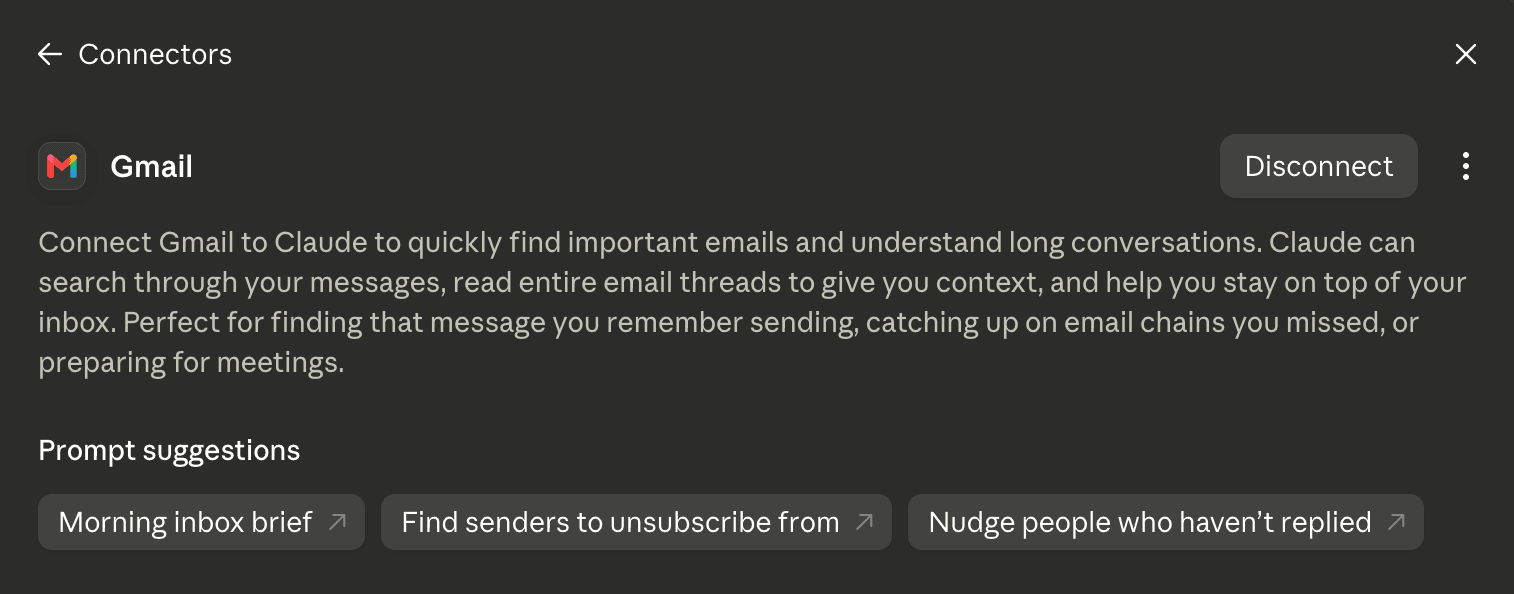
What plan you need: the Google Workspace connectors work on every plan on Claude and Claude Desktop. There's one catch if you're on Team or Enterprise, which is that an Owner has to switch the connector on for your organization before you can connect your own account. If Gmail isn't in your list at all, that's who to go ask.
While you're in there, you'll see Google Calendar and Google Drive right next to it. Calendar is worth connecting at the same time, because half the questions below get better answers when it can see what you actually had scheduled.
It takes 2 minutes and you do it once.
How to tell it's really reading your email
The first time you ask it something, you'll wonder whether it looked or whether it made a good guess. There are two ways to check.
It asks permission on screen before it touches your mailbox, so you'll see it happen. Then the answer comes back with the emails it used listed underneath, and those are links.
Click one of them just once and you'll stop wondering.
1. The 22-message thread
You know the one. It's the client where the scope moved 3 times and now you're not sure what you promised. So you keep putting off the reply, because reading it back is a 20 minute job you don't have 20 minutes for.
Read my whole thread with [name]. What did I agree to
and what still needs a reply?
It just tells you, and it takes about 30 seconds. It reads all 22 messages in order instead of skimming the last 3 the way you would.
The mistake that makes it fail: asking for a summary. A summary just hands you back a shorter copy of the same thread, and you still have to work out what it means for you. Asking what you agreed to and what's outstanding gives you two lists you can actually act on. Name the person and skip the topic, because it's searching a mailbox and it can't read your mind.
2. The email you keep not sending
It's the price increase one. You've rewritten it 4 times and it's still in your drafts, and every version sounds either apologetic or like a lawyer wrote it.
Read the last 10 emails I sent so you know how I sound.
Now draft a reply to [name].
The first sentence is what makes this work. Skip it and you get the brochure voice that made you rewrite it four times in the first place. Tell it how you talk one time and then it writes them how you talk.
The mistake that makes it fail: pointing it at emails that don't sound like you. If your last 10 sent messages are all one-line replies to your accountant, it's learning from one-line replies to your accountant. Point it at 10 you'd be happy to have written and say so.
3. Where is that contract?
Maybe it's the signed one, or an invoice number, or what you quoted this client 8 months ago before you raised your rates. Whatever it is, you need it before you can answer the email in front of you.
Find what I quoted [name] and when I sent it.Ask it the way you'd ask a person, without the search operators and without trying to remember the subject line.
The mistake that makes it fail: the number being inside an attachment. Claude reads your emails and it can see that an attachment exists, but it can't open a PDF that came in on a Gmail thread and read the figure out of it. If your quotes go out as attachments, it'll find you the right email on the right date and then you open the file yourself. That's still faster than hunting, but just know that's where it stops.
4. What am I forgetting?
It's the proposals nobody answered, the person you swore you'd get back to on Tuesday, and that yes you gave in a thread you've since buried under 400 newsletters.
Go through the last 30 days. What's waiting on me?
Who did I say I'd get back to?
Ask it on a Monday and it just tells you. This is the one that changed my week the most, even though it's also the one that sounds the least impressive written down.
The mistake that makes it fail: a giant mailbox. Performance gets worse the more it has to wade through, so 30 days works and "Go through everything" gets vague and slow. Keep the window tight and run it more often.
5. There's money in your sent folder
I mean the quotes nobody ever replied to and the invoices nobody paid. Most of it didn't get turned down. It expired because nobody followed up, and the nobody was you (you were busy).
Look at everything I sent in the last 90 days. Which
quotes and invoices never got a reply?
Run it once and you'll see why this is the one I'd start with. It's the only item on this page that pays for itself the same afternoon.
The mistake that makes it fail: stopping at the list, when the follow-ups are the point. Hand the list straight back to it and say draft me a short follow-up for each of these, then use number 2 above so they sound like you.
6. The meeting that never got a follow-up
This one needs Calendar connected too, which is why I told you to grab it back in the setup. Your calendar knows who you talked to and your inbox knows who you wrote to afterward, but neither one knows about the other. That gap is where good calls go to die.
Compare my calendar and my sent email for the last
two weeks. Which meetings never got a follow-up
from me?
Every call you were excited about on a Tuesday and forgot by Thursday shows up on that list. It's the same idea as number 5, just pointed at conversations instead of quotes.
The mistake that makes it fail: expecting it to know what counts as a follow-up. A recurring team sync doesn't need one, so tell it which meetings you care about (something like "only the calls with people outside my company") and then the list is short enough to act on.
It can sort while it's in there
Reading isn't all it does. It can label a thread, and it can make you a new label too as long as you approve it first. That turns any of the lists above into something you can still find next week.
Label those threads "Follow up" so I can find them
in Gmail later.
Run this right after number 5 and the follow-ups you didn't get to are waiting in a folder instead of sinking back into the pile.
The part everyone asks about first
It can't send email. The send function isn't switched on at all, which goes a lot further than "be careful" or "review it first." Claude reads your email and writes drafts, and every single one of them stays in your drafts folder until you open it and hit send yourself.
I still read every one before it goes. People hesitate because they're picturing some AI firing off messages to their clients while they're at school pickup, and that can't happen.
Two more things are worth knowing. It asks before it does anything, so nothing happens in your mailbox that you didn't approve on screen. And if you're on Team or Enterprise, an Owner can lock the connector down even further, so it can search and read while anything that writes stays blocked.
When it doesn't work
There are four things that go wrong, and all four take about a minute to fix.
Gmail isn't in your connector list. If you're on Team or Enterprise, an Owner has to turn it on for everyone first. If your email runs on Google Workspace through your business, there's a second gate, because your Workspace admin has to mark Claude as a trusted app. The path they need is admin.google.com > Security > Access and data control > API controls > Manage third-party app access, so just send them that line. If your email is a plain gmail.com address, none of this applies to you and you can just connect it.
It acts like your inbox is empty. Usually it's hooked to the wrong Google account. Go back to Connectors and hit Disconnect, then ask it an email question again and it'll walk you through signing in fresh. This fixes more than you'd think.
The answers come back vague. You gave it too much ground to cover. Searching your entire mailbox gets slow and fuzzy, while 30 days with a name in it gets sharp. Narrow the window before you assume it can't do the job.
Your usual Gmail search tricks don't land. Some of the advanced filters don't carry over, so ask in plain words instead of operators (the way you'd ask an assistant) and let it work out the search.
The fastest path to a win
1. Connect Gmail. It takes 2 minutes on a laptop and nothing below works without it.
2. Run number 5 first (the sent folder one), before you do anything else on this page.
3. Take the worst thread you own and run number 1 on it.
4. Point it at your last 10 sent emails once, so it learns how you sound.
5. Run number 4 on a Monday, and then every Monday after that.
None of this needs you to be techy, because you connect it one time and then it does the boring part for you.
If you only do one thing: run the sent folder prompt and go 90 days back. I've never once run it and found nothing.
Every prompt on this page
Copy these somewhere you'll find them, and swap the brackets for a real name.
Read my whole thread with [name]. What did I agree to and what still needs a reply?Read the last 10 emails I sent so you know how I sound. Now draft a reply to [name].Find what I quoted [name] and when I sent it.Go through the last 30 days. What's waiting on me? Who did I say I'd get back to?Look at everything I sent in the last 90 days. Which quotes and invoices never got a reply?Compare my calendar and my sent email for the last two weeks. Which meetings never got a follow-up from me?Label those threads "Follow up" so I can find them in Gmail later.