Part 1 Setting 02
02 Write your profile instructions
Why it matters
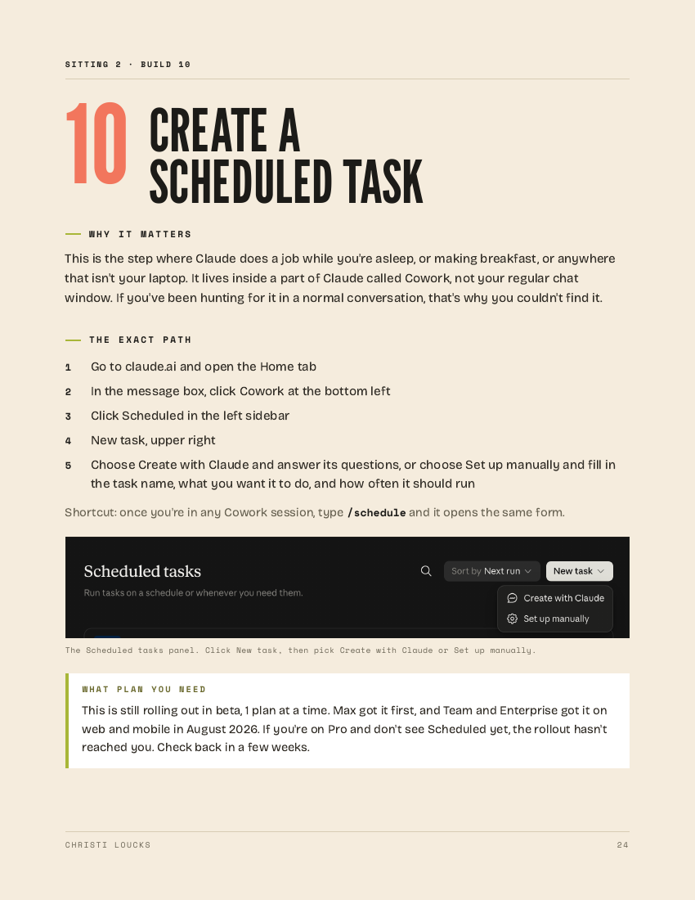
There's a settings field Claude reads before every single chat, before it even sees your question. Right now it's empty, which means Claude is answering a stranger every time. Spend 20 minutes filling it in and Claude starts answering you instead, and you stop re-explaining who you are every morning.
Keep it short, because a long profile buries what matters. Write it the way you'd brief a smart new assistant on her first morning, and be sure to include what annoys you, because that section changes how Claude sounds more than any other.
The exact path
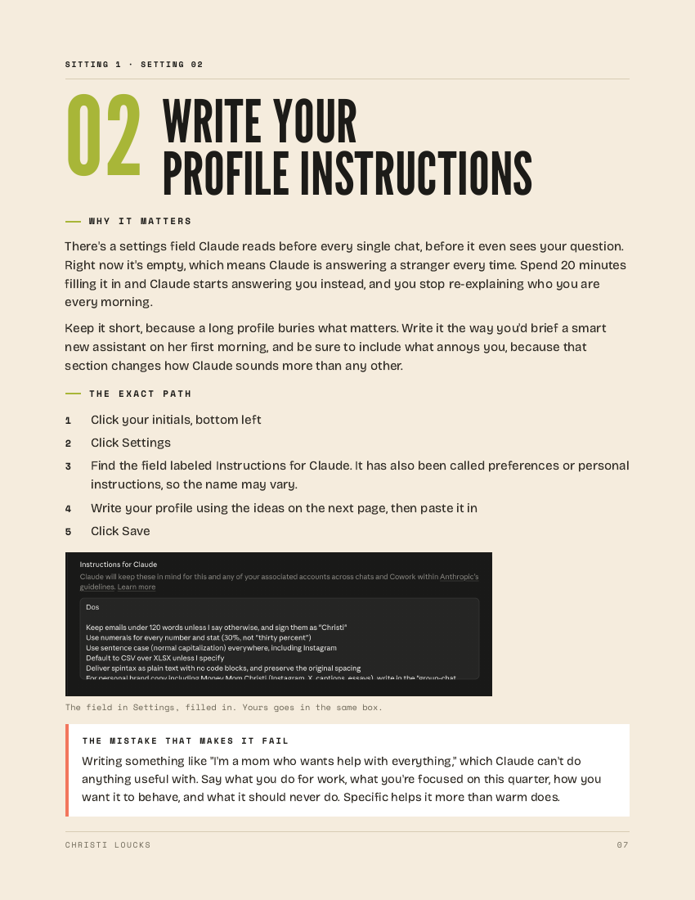
- 1Click your initials, bottom left
- 2Click Settings
- 3Find the field labeled Instructions for Claude. It has also been called preferences or personal instructions, so the name may vary.
- 4Write your profile using the ideas on the next page, then paste it in
- 5Click Save
The mistake that makes it fail
Writing something like "I'm a mom who wants help with everything," which Claude can't do anything useful with. Say what you do for work, what you're focused on this quarter, how you want it to behave, and what it should never do.
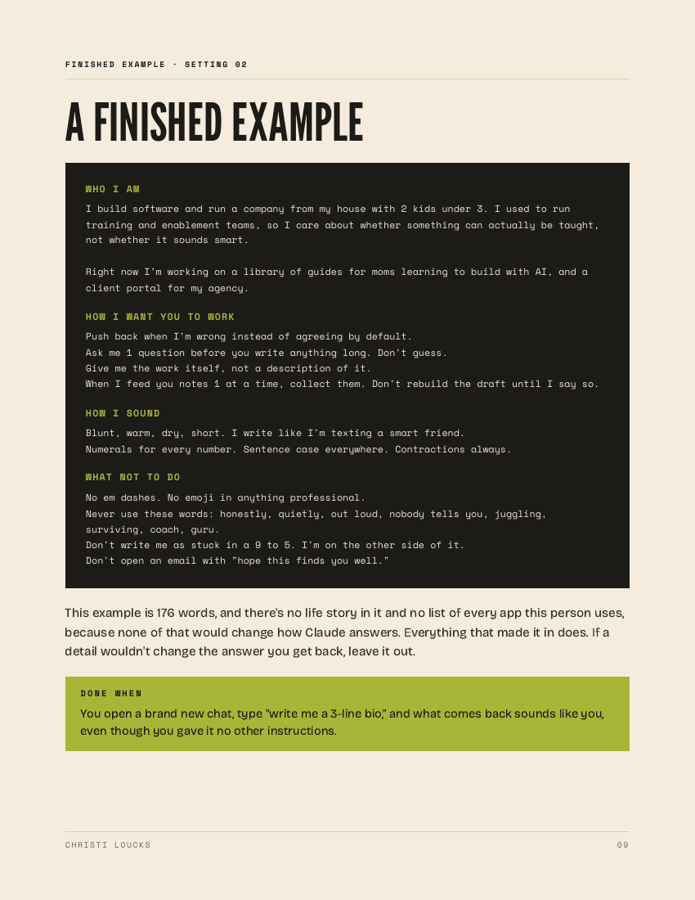
Specific helps it more than warm does. The next page gives you a finished example you can copy, and after that the 4 parts every profile needs, with lines you can borrow for each one.